
My Next iOS App: a Fast Fix for Portrait Mode Video

My Problem
Sometimes I don't have the time to shot my How to videos for multiple social sites.
Short vertical video is everywhere now. TikTok, Instagram Reels, YouTube Shorts, the whole ecosystem has flipped to 9:16. But YouTube's main feed is still 16:9, and it's been that way since the beginning.
If you want to repurpose a vertical clip for a regular YouTube upload, you've got two options: live with the black bars on both sides, or open a full video editor and manually build a landscape version from scratch every single time. Neither felt acceptable. So I started thinking about what a purpose-built tool for that one specific job would look like.
The Idea
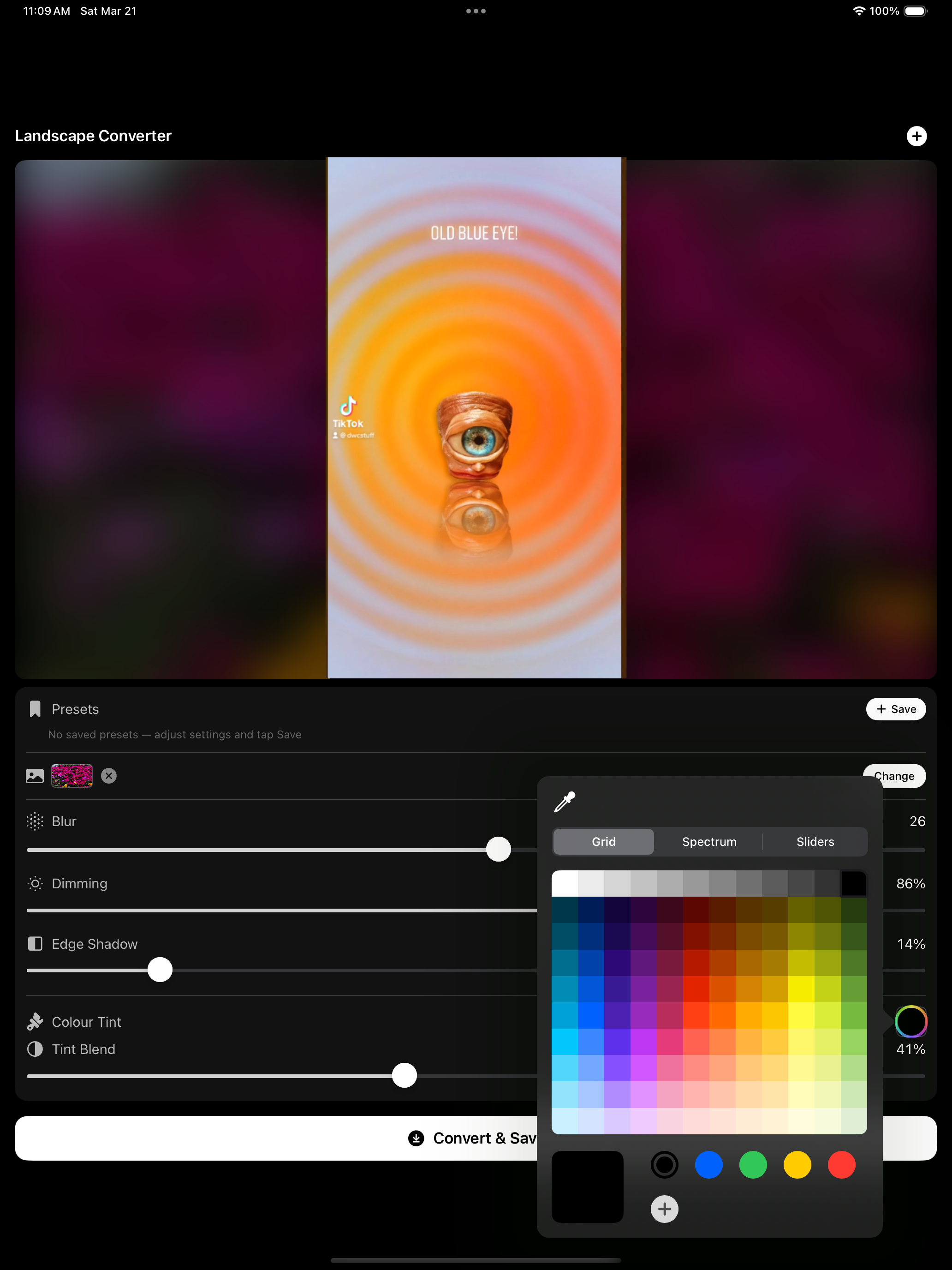
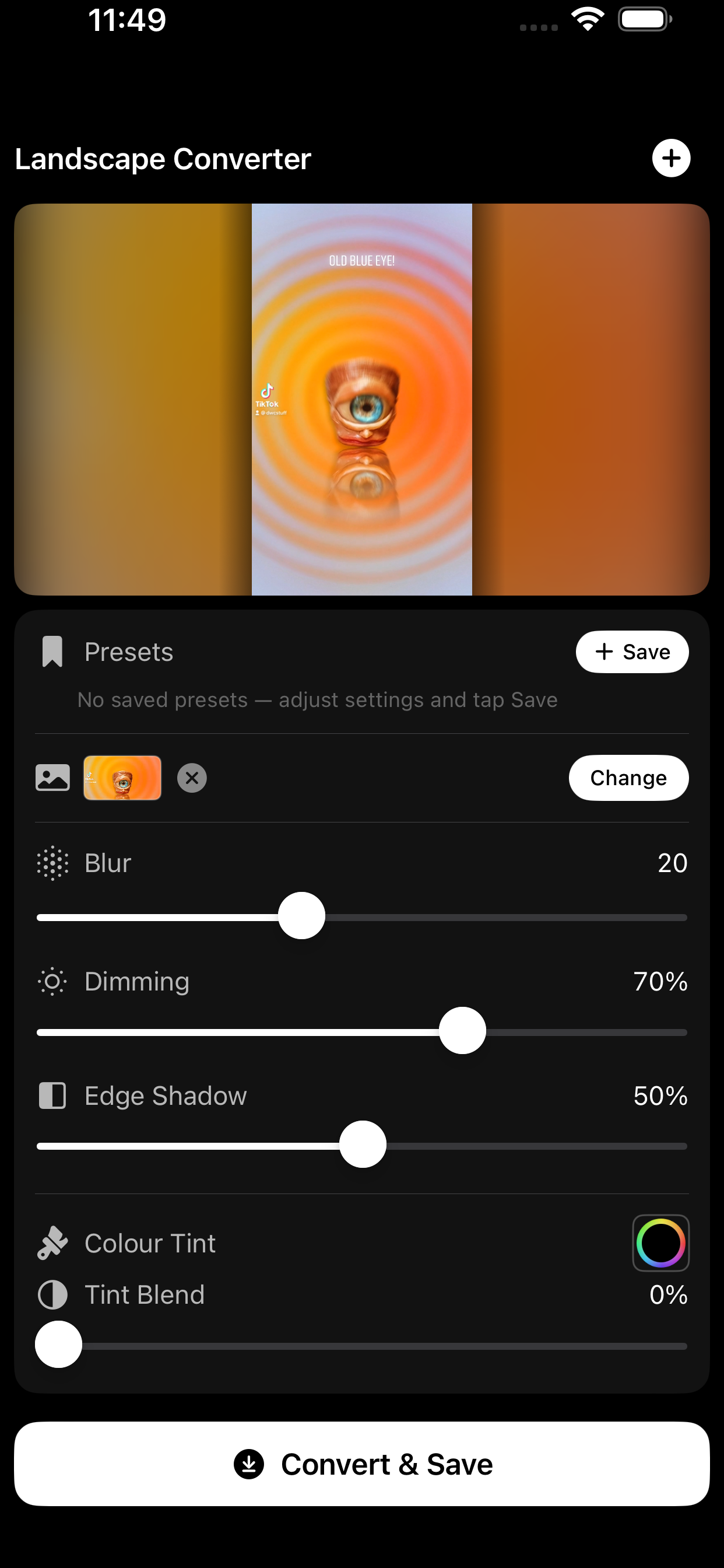
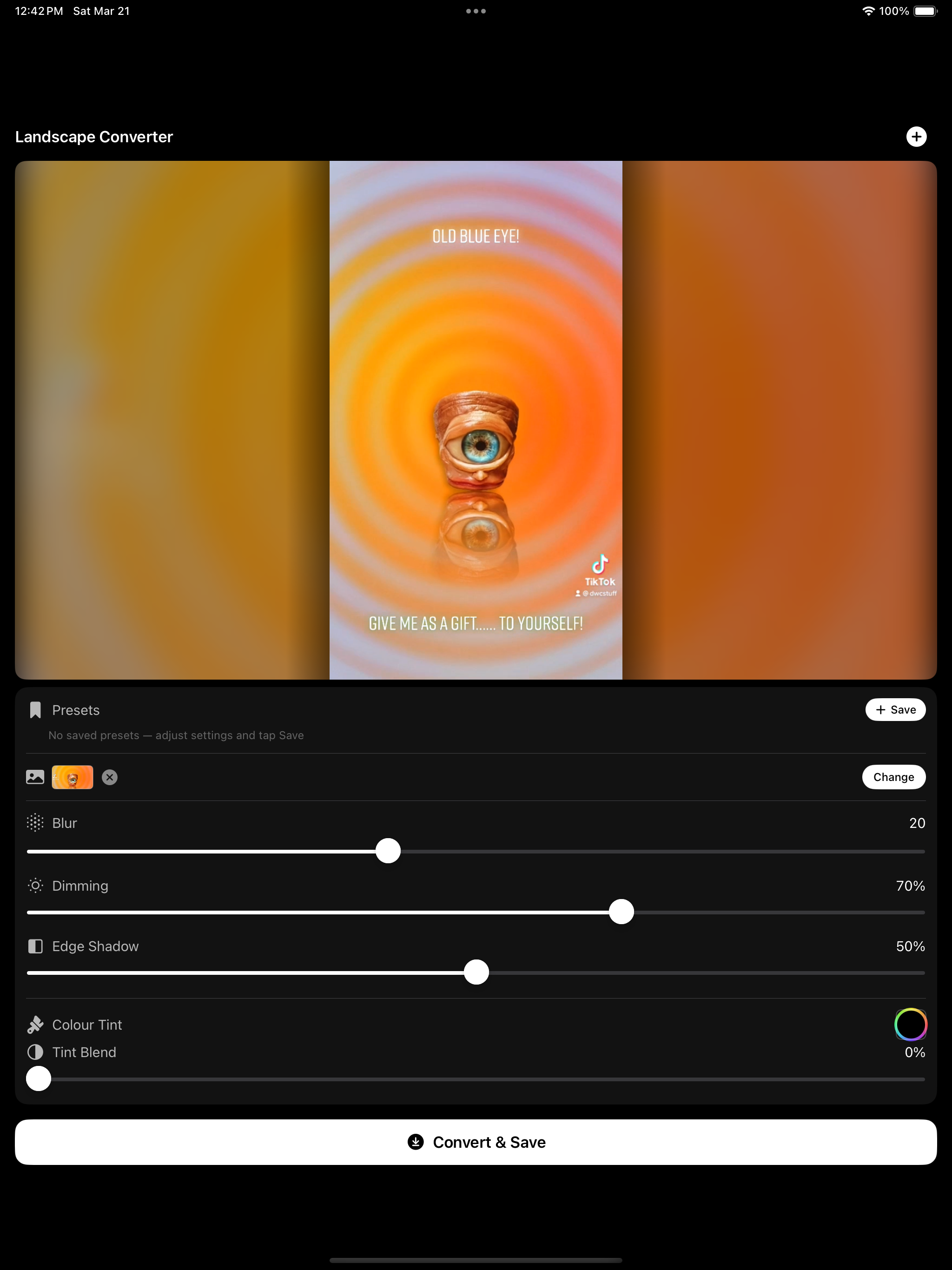
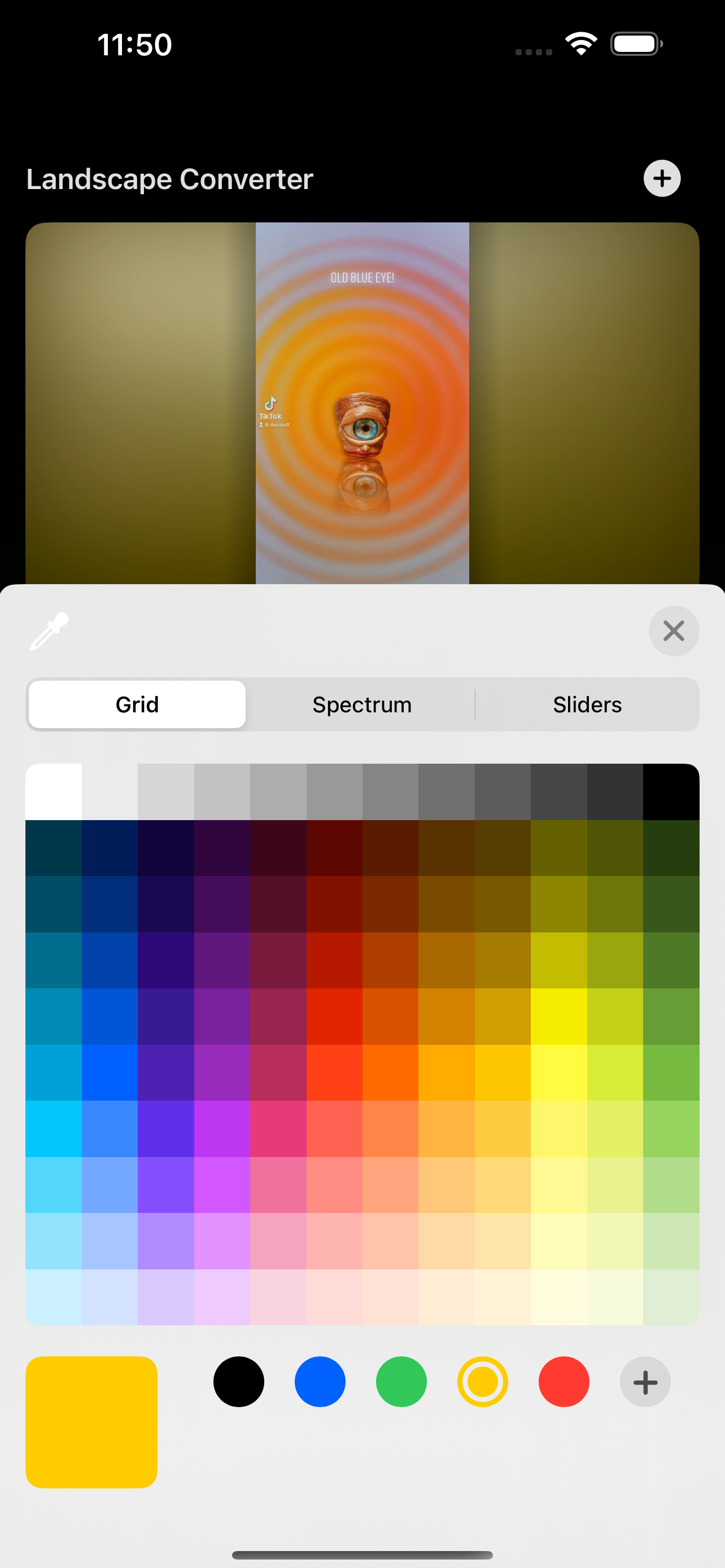
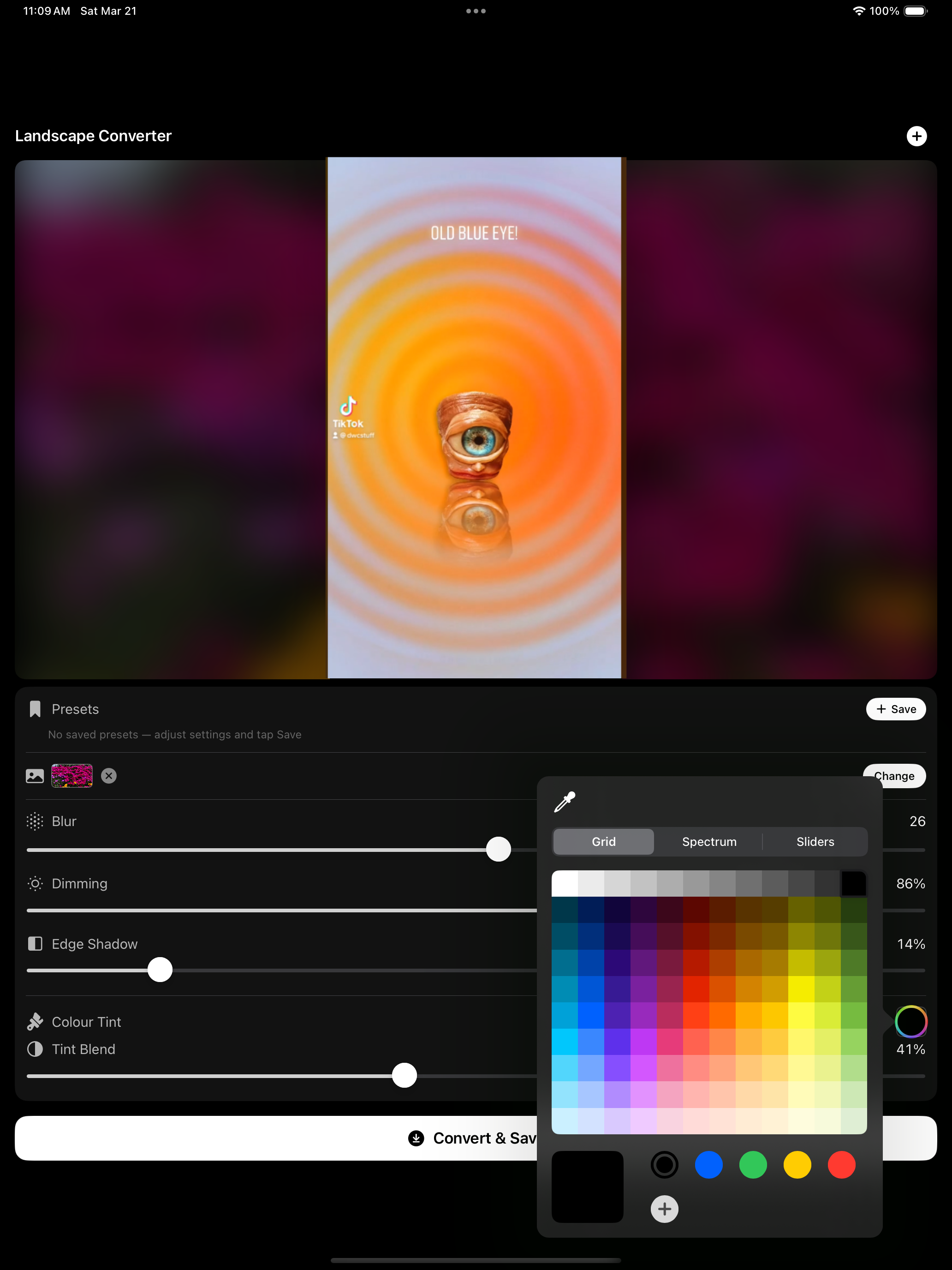
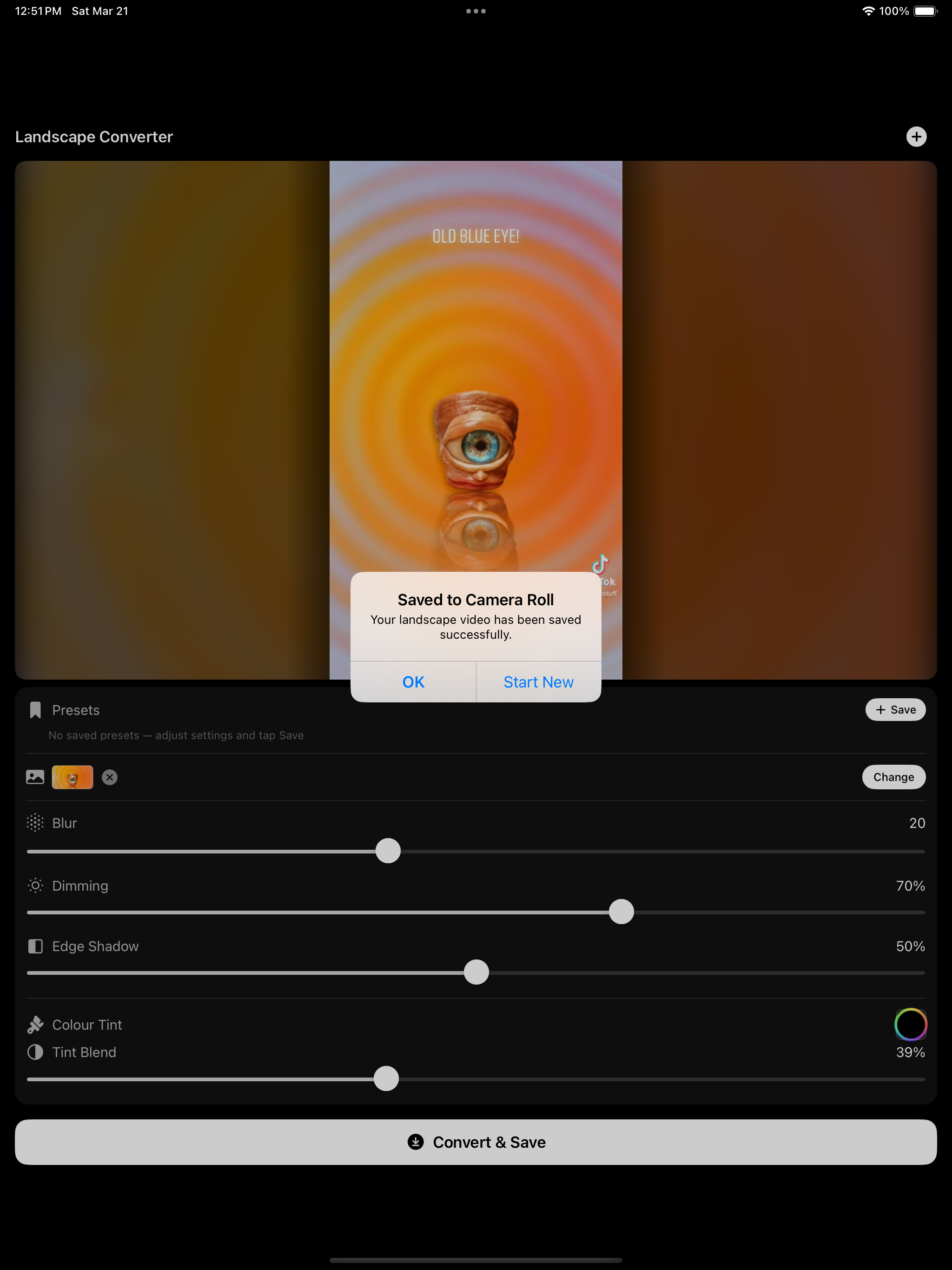
Simple. You load a vertical video. The app puts it in a 16:9 frame with a background behind it, a blurred version of the video itself, or your own image if you want something different. You adjust the background layer to taste, then save it out ready to upload.
Sometimes the most useful tools are the ones that do exactly one thing and get out of the way.
Building It
Makeit Landscape is an iOS app, which meant working through Apple's ecosystem, handling video processing on device, and designing a UI that makes something technically fiddly feel effortless.
The core design challenge was giving users enough control over the background layer to get a result they're actually happy with, without turning it into a complicated settings panel. I landed on a handful of well-chosen adjustments, blur, brightness, scale, that cover the realistic range of what looks good, and nothing more. Fewer options, better outcomes.
I'm in the final stretch before submitting it to Apple for review.

What's Next
Once it clears the App Store review process, I'll post the link here. In the meantime, if you want to talk about it, or anything else I'm working on, you know where to find me.

Comments ()